Carmin
- 4.4
- Rating
- 1.00M
- Installs
- Free
- Price

 Analysis by App-foxy
Carmin is the kind of Android app that can feel immediately useful when a car problem leaves you staring at a bundle of wires, a fuse box, or a connector you cannot confidently identify. I approached it as a practical reference rather than something to browse casually, and that distinction matters. Its focus is automotive electrical wiring diagrams, so the value appears when I have a specific vehicle-related question in front of me. It is free to install, aimed at Everyone, and developed by Min Junior. After the first few sessions, I found that its real test is not whether the diagrams look interesting, but whether I will remember to open it the next time an electrical fault appears.
The app has built a sizeable audience, with an average rating of 4.5 from around 24 thousand ratings and more than a million installs. Those figures suggest that it has become a familiar tool for many people who work on cars or simply prefer to understand a repair before paying for it. Still, popularity does not turn a wiring reference into a universal repair solution. I would treat Carmin as a starting point for tracing circuits and preparing questions, not as permission to guess when a wrong connection could damage a vehicle or create a safety problem.
What Carmin feels like during the first week
In the first week, I would pay attention to whether Carmin helps me move from a vague symptom to a specific circuit question, rather than expecting instant answers. That distinction also makes the app easier to judge across different users and working conditions: a focused diagram can aid planning, but it still asks the reader to interpret it and may be awkward to consult mid-task.
You May Also Like

 Blood Strike: 2.5 Anniversary
Blood Strike’s Loadouts Turn Every Drop Into a Tactical Gamble
A close look at Blood Strike’s custom loadouts: how fast access to signature weapons reshapes its battle royale rhythm, rewards preparation, and narrows the gap between fights.

 Pandora - Music & Podcasts
Pandora’s Music Is Easy to Start, but Harder to Recover
Pandora’s strength is its low-effort path from a seed to a station. Its weak spot is how much confidence it asks you to place in connection, setup, and quiet recovery.

 8 Ball Pool
 Is Built on Rivalries, Rematches, and Routine
A close look at the rivalries, rematches, shared routines, and unanswered safety questions that turn a quick pool match into a persistent mobile community.

 Samsung Music
’s Quiet Strength Is Playing What You Already Own
Its reach comes less from spectacle than from dependable access to a personal library. That simplicity is both the app’s strongest retention engine and its ceiling.

 AccuWeather: Weather Radar
AccuWeather Review: A Quick, Clear Forecast for Everyday Decisions
For everyday plans, the best forecast is the one you can understand quickly. AccuWeather makes rain timing, radar, and local conditions easy to act on, with a few trade-offs.

 Hill Climb Racing
Why Hill Climb Racing Still Turns Crashes Into One More Run
A tiny car, a bumpy hill and one more upgrade: Hill Climb Racing keeps resurfacing because its simple chaos makes every near-miss feel personal.
More From Our News Desk



A focused reference instead of a general car app
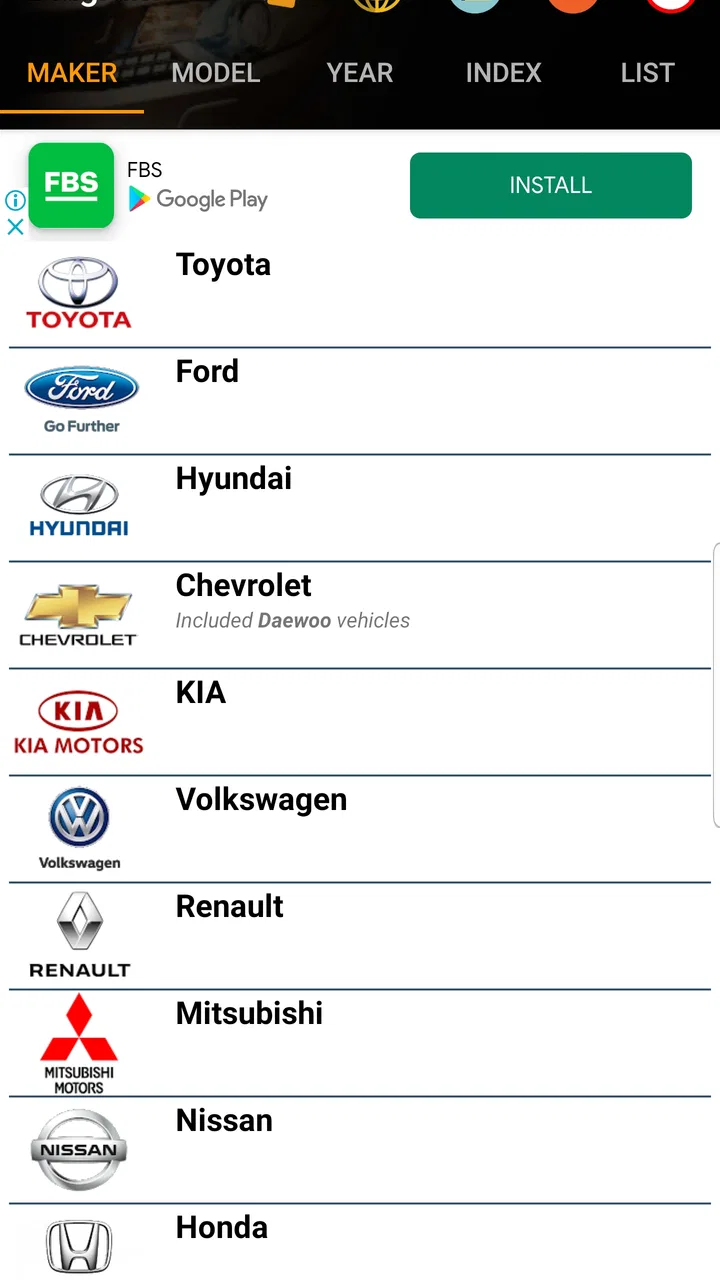
My first impression was that Carmin makes more sense when I arrive with a job in mind. Automotive apps often try to cover maintenance schedules, fuel costs, fault codes, parts shopping, driving habits, and repair advice all at once. Carmin takes a narrower route. Its identity is tied to electrical diagrams, which gives it a clearer purpose than a broad car-management app. If I need to understand how a circuit is arranged, that focus is helpful because I am not sorting through unrelated tools before reaching the information I want.
The short store description is simply “Carmin,” while the broader summary identifies automotive electrical wiring diagrams. That may sound modest, but it sets a useful expectation: this is not an all-in-one mechanic replacement. I would not install it expecting guided diagnostics, a complete service manual, or a conversational explanation of every fault. Its strongest role is visual reference, especially during the early stage of a repair when I am trying to understand what should connect to what.
Why the novelty is convincing at first
During the first week, an app like this can earn its place quickly because electrical work is difficult to hold in memory. A wiring diagram gives me something stable to check instead of relying on a photograph, a forum comment, or a half-remembered explanation. Even before touching a tool, I can use the diagram to organize the problem: identify the relevant circuit, note the components involved, and decide where a sensible inspection should begin.
That preparation is more valuable than it may appear. When a headlamp, horn, starter-related circuit, or accessory stops behaving correctly, the temptation is to replace the most obvious part. A diagram encourages a different habit. I can think in terms of power supply, protection, switching, grounding, and the path between them. Carmin does not magically perform that reasoning for me, but it can make the reasoning less scattered.
A realistic driveway scenario
Imagine I am helping a friend whose electrical accessory has stopped working intermittently. The first instinct might be to buy a replacement component. Instead, I can open Carmin, locate the relevant wiring view, and compare the circuit layout with what I see in the vehicle. I can then inspect the fuse, connector, visible wiring, and ground points in a more deliberate order. If the fault remains unclear, I have at least narrowed the conversation with a technician from “something electrical is broken” to a more useful description of the circuit and symptoms.
That workflow is where I see the app’s first-week appeal. It does not need to be opened every day to be useful. One well-timed reference can prevent random part swapping, reduce wasted time, and help a beginner ask better questions. The important qualification is that the diagram must match the vehicle and circuit being examined. A neat-looking diagram is not enough if the model, market, trim, or production variation differs from the car in front of me.
What I would do before trusting a diagram
I would make vehicle identification part of the process rather than an afterthought. Before following a wire, I would confirm the exact vehicle context available in the app and compare obvious details with the car: connector shape, fuse location, component arrangement, and wire colors where applicable. Wire colors can be altered by repairs, faded by age, or misunderstood under poor lighting, so I would use them as supporting clues rather than the only proof.
I would also keep the phone away from the immediate work area when hands are dirty or the battery is disconnected. My preferred routine is to inspect the diagram first, write down the relevant points, and then work with the vehicle. This reduces the urge to repeatedly touch the screen while holding tools. It also makes the app part of a repair plan instead of a substitute for one.
Why it can remain useful from month to month
Over time, I see its value less in frequent screen time than in having a repeatable way to prepare for electrical work. Keeping brief, vehicle-specific notes alongside the diagrams can make later checks clearer, especially if a car has been repaired or modified before; the reference is most useful when I remember which observations belong to that particular vehicle.
Recurring value comes from habits, not constant browsing
Carmin’s long-term value depends on whether I regularly encounter electrical questions. For a person who owns an older car, maintains several vehicles, or enjoys learning basic automotive work, the app can become a dependable reference. I might use it when installing an accessory, investigating a recurring fuse issue, checking a suspected ground problem, or preparing for a conversation with a repair shop. Those occasions are irregular, but they are exactly the occasions when a focused tool can save time.
For a driver whose car runs reliably and who never performs maintenance, the app may lose its appeal after the first look. That is not a flaw in the concept; it is a consequence of being specialized. A fuel tracker or service-reminder app can create a weekly habit because its information changes constantly. Wiring diagrams usually matter only when a particular circuit needs attention. I would keep Carmin installed if I wanted a ready reference, but I would not expect it to become part of my daily routine.
Useful for learning how a repair is structured
One of the less obvious benefits is educational. I can use a diagram before a repair simply to learn how an automotive circuit is organized. Over time, repeated exposure to symbols, paths, switches, grounds, and protection points can make electrical troubleshooting feel less mysterious. The app becomes more valuable when I return to it with the same method: identify the symptom, trace the likely path, inspect the simplest failure points first, and only then consider more complicated causes.
This is also where I would recommend keeping personal notes. Carmin can show the reference I need, but my own notes can record what I found on a particular vehicle: a connector that was loose, a ground point that was corroded, or a wire repaired by a previous owner. Those observations are specific to the car and may be more useful during the next fault than a fresh search. The app supplies the map; my notes preserve the vehicle’s history.
Where a different tool is better
Carmin is not the best choice when I need a complete repair procedure with torque values, removal steps, component testing specifications, or model-specific mechanical instructions. In that situation, a factory service manual or a reputable repair database is a better companion. If the problem is mainly electronic fault-code diagnosis, a scan tool and an appropriate diagnostic application will usually provide more direct evidence than a wiring reference alone.
It is also not a replacement for a multimeter, test light, proper fuses, insulated tools, or safe working practices. A diagram can tell me how a circuit is intended to be arranged, but it cannot confirm whether a wire is broken inside its insulation or whether a connection has high resistance. I still need measurement and observation. That trade-off is important for beginners: Carmin can improve the questions I ask, but it does not remove the need to verify them.
How the free model affects long-term use
Carmin is free, which makes it easy to try without committing money at the start. The app also includes in-app purchases ranging from $4.99 to $48.99 per item. I would therefore think about the purchase path before making it part of my regular toolkit. A casual user may be satisfied with the free experience, while someone who depends on the app for repeated work may decide that an optional purchase is worthwhile. The sensible approach is to test whether the available material actually supports the vehicles and tasks I care about before paying for anything.
I would not judge the purchase decision by the number alone. The real question is how often the app saves me from searching elsewhere and whether its diagrams are relevant to my own vehicles. Paying for information that does not match the car I maintain would be frustrating, while paying for a reference I use during several repairs could be reasonable. Because the purchase amounts vary, I would review each option carefully rather than assuming every paid item offers the same kind of value.
Maintenance, friction, and the reasons I might stop opening it
I would reassess the app if searching or reading a diagram starts taking more attention than the actual inspection. A practical threshold is whether it helps me choose a safe next check; if I find myself repeatedly guessing at symbols, fighting a small screen, or relying on a diagram that does not match the vehicle, I would pause and use a more suitable manual or professional help.
The biggest burden is interpretation
The maintenance burden is not mainly about remembering to update an app. It is the mental work required to interpret electrical diagrams correctly. Symbols and lines can look simple while representing a complicated path. A beginner may follow a line visually without understanding whether it represents a shared supply, a switched connection, a ground, or a connector transition. That can lead to confident but incorrect troubleshooting.
I would use Carmin alongside a basic electrical reference if I were new to diagrams. Learning the visual language once pays off across future repairs, but the learning curve can make the first sessions slower than expected. The app is most comfortable for someone who already knows the difference between reading a circuit and merely looking at one. A first-time user should expect to pause, zoom mentally through the layout, and verify each assumption.
Screen-based work is not always convenient
Phone-based references have an unavoidable weakness during hands-on work. Screens are small compared with printed workshop material, and a diagram that seems readable on a desk may be awkward beside an engine bay. Glare, dirt, low battery, and cramped working positions all add friction. I prefer to inspect the relevant section before starting, then use short checks rather than trying to keep the phone open continuously.
This is one reason Carmin works better as a preparation and verification tool than as a live, step-by-step instructor. If I need both hands for a connector or test lead, the app cannot hold the work for me. Printing or writing a few key details may be more practical, provided I keep the notes tied to the correct vehicle and circuit.
Why repeated use can become tiring
The first sessions are naturally engaging because the diagrams promise answers. The fatigue begins when I have to search repeatedly, compare a diagram with a vehicle that has been modified, or interpret a circuit that does not behave as expected. A wiring reference can make a problem more organized without making it easy. When the fault is intermittent, hidden behind trim, or caused by corrosion, the gap between the diagram and the physical car becomes especially noticeable.
Another source of fatigue is the temptation to keep searching instead of testing. I have found that a diagram can encourage endless theoretical tracing if I do not set a stopping point. My better routine is to choose one plausible section, perform a safe inspection or measurement, and update my theory from the result. This keeps Carmin from becoming a screen-based distraction during a repair.
Safety deserves a firm boundary
I would be cautious around circuits connected to starting systems, charging systems, airbags, fuel-related equipment, or other safety-critical components. An incorrect test or accidental short can create more trouble than the original symptom. Before using any diagram, I would follow the vehicle manufacturer’s safety guidance, disconnect power when appropriate, use the correct replacement fuse rating, and avoid probing connectors that I do not understand.
For a beginner, the right stopping point is clear: if the diagnosis requires bypassing protection, working near explosive or high-current systems, or making a repair that could affect vehicle control or occupant safety, I would hand the job to a qualified technician. Carmin can help me communicate what I have observed, but it should not encourage me to work beyond my skill level.
Version and device expectations
The current version is 4.3.0, and the app supports Android 5.0 or later. That broad compatibility is useful if I am keeping an older phone as a garage reference device. An older spare phone can be less stressful around tools than my primary handset, though I would still protect it from dust, moisture, and accidental drops. The age rating is Everyone, but that does not mean every repair task is suitable for every user; the content rating describes the app, not the risk of automotive work.
I would also maintain a backup habit. If I am relying on a diagram for a planned repair, I would review it before arriving at the vehicle and keep the relevant vehicle details available. That way, a weak connection, a dead battery, or an inconvenient work location does not leave me without a plan. The app is more dependable in my routine when it is one part of preparation rather than the only place where I keep essential information.
My long-term verdict on Carmin
My long-term recommendation is shaped by how well Carmin fits different abilities and situations, not by expecting it to work equally well for everyone. I would keep it as a supporting reference if its diagrams are relevant and legible to me, while recognizing that print, a larger display, or expert assistance may be better in some settings; the right choice is the one that makes the repair safer and easier to understand.
Who should keep it installed
I would recommend Carmin to DIY owners who want a focused way to understand automotive electrical wiring, especially those who are building confidence and want to stop replacing parts at random. It is also a sensible reference for people who maintain older vehicles, help friends with basic electrical problems, or want to arrive at a repair shop with a clearer description of the circuit involved.
The app earns lasting space when I use it as part of a repeatable workflow: identify the vehicle and symptom, find the relevant diagram, map the circuit, inspect safely, measure where appropriate, and record what happened. That process gives the app recurring value even though I may not open it every week. It becomes a small reference tool that is ready when an electrical issue interrupts normal driving.
Who should skip it
I would skip Carmin if I am looking for a full maintenance planner, a scan-tool companion, a parts marketplace, or a complete workshop manual. I would also skip it if I have no interest in learning how wiring diagrams work. In that case, a professional diagnosis or a simpler repair guide may be less frustrating. The app is not a magic search box for every vehicle problem, and its usefulness depends heavily on matching the reference to the actual car.
Someone who works professionally may need broader documentation, deeper specifications, and a workflow designed for frequent jobs. Carmin could still be a convenient supplementary reference, but I would not make it the only source in a professional repair environment. Its appeal is strongest for focused electrical understanding, not for replacing an entire technical library.
The lasting value after the first impression
After the novelty fades, I think Carmin remains worthwhile for the right owner because its usefulness is tied to real repair moments rather than constant entertainment. The app does not need to create a daily habit to justify itself. A single clear diagram at the right time can help me avoid a wrong purchase or explain a fault more accurately. That is practical value, even if months pass between serious uses.
My final view is positive but measured. Carmin is a specialized Android automotive app from Min Junior that I would keep available as a wiring reference, provided I verify vehicle details and treat every diagram as part of a larger diagnostic process. Its free entry point makes trying it easy, while the optional purchases mean I should check relevance before spending more. Its lasting strength is not novelty; it is the disciplined habit of using a circuit map before guessing. For careful DIY work, that is enough to make it useful. For complete repairs, advanced diagnostics, or safety-critical jobs, I would pair it with proper tools and professional documentation rather than asking it to do everything.
FAQs for Carmin
01What platforms is Carmin available on?
Carmin is available for both Android and iOS devices. You can download it from the Google Play Store for Android devices or the Apple App Store for iOS devices. Ensure your device meets the minimum system requirements for optimal performance.
02Does Carmin require an internet connection?
Yes, Carmin requires a stable internet connection to function properly. This is essential for accessing real-time data, updates, and features that depend on online resources. Make sure you have a reliable Wi-Fi or mobile data connection when using the app.
03Are there any in-app purchases in Carmin?
While Carmin is free to download, it does offer in-app purchases. These purchases can enhance your experience by unlocking premium features or removing ads. It’s advisable to review these options in the app’s settings to understand what benefits they offer.
04What are the main features of Carmin?
Carmin offers a range of features including real-time navigation, traffic updates, and personalized route suggestions. The app is designed to enhance your travel experience by providing accurate maps and directions. It also integrates with other services for added convenience.
05Is Carmin compatible with older devices?
Carmin is optimized for recent devices, but it can still function on older models. However, performance may vary depending on your device’s specifications. Check the app’s requirements on the download page to ensure your device can support it efficiently.
Pros
- Intuitive user interface for easy navigation.
- Highly customizable settings for personalization.
- Lightweight app with minimal battery usage.
- Offers seamless integration with other apps.
- Regular updates enhancing features and security.
Cons
- Limited free features
- requires in-app purchases.
- Occasional bugs can disrupt user experience.
- Lacks offline functionality for key features.
- Some features require a stable internet connection.
- Customer support response time can be slow.

Carmin
Gallery